Digitalization
10. June 2025
8 improvements you can make to your Core Web Vitals
We have put together a list of 8 practical improvements you can take action on if you want to make your site faster, more stable, and rank better on Google – but you cannot avoid needing help from a developer if you want to succeed with all of them.

Content
What is CWV? Test your site 1. Compress images 2. Fixed height of images 3. Lazy load 4. Minimize JavaScript 5. Test on mobile 6. Font selection 7. Caching and hosting 8. Postpone scriptsWhat are Core Web Vitals?
Core Web Vitals are Google’s way of assessing whether your site is a pleasure to visit – or just another digital wood-burning stove that devours patience and performance.
The three nerdy KPIs you need to know:
- LCP – Largest Contentful Paint = how quickly the most important content loads
- INP – Interaction to Next Paint = how quickly the page responds when someone clicks
- CLS – Cumulative Layout Shift = whether the page jumps around while it loads
A poor scorecard here = lower visibility on Google, a lower conversion rate, and shorter visits. So yes, it matters.
How to test your page
You can use PageSpeed Insights or Google Search Console to test your page. In Search Console, you will get specific optimisation suggestions.
Here are the 8 improvements you (or your developer) can get started with
1. Compress your images
Large images are among the most classic performance killers. Make sure your images are not larger than necessary – neither in dimensions nor resolution.
- Use tools such as TinyPNG, ImageOptim or Squoosh
- Running WordPress? Try plugins such as Smush, ShortPixel or Imagify

2. Set fixed heights for images and banners
When elements jump around on the page during load, you get a poor CLS score. The solution is actually simple: Set a fixed height for your images in the code. It requires a developer – but it is not rocket science.

3. Use lazy loading for images and video
Lazy loading means images only load when the user is close to seeing them. It saves load time and especially improves your LCP.
- WordPress user? Check out a3 Lazy Load or WP Rocket
- Custom solution? Talk to your developer – it requires a bit of code

4. Minimise unnecessary JavaScript
Too much JavaScript = sluggish response and poor INP. Have your developer remove, defer, or optimise scripts you do not use (or that do not need to load from the start).
It requires technical oversight – so get someone who actually knows what is running on your site.
5. Always test on mobile – not desktop
Google measures your Core Web Vitals primarily on mobile. So even if it looks fine on your 27″ screen, you can still have a terrible scorecard.
Use mobile view in PageSpeed Insights and Google Search Console

6. Choose fonts that do not make you pull teeth
Fonts often load more slowly than you might think – and then your text is blank, or jumps around. Use font-display: swap in your CSS, so some text is displayed immediately.
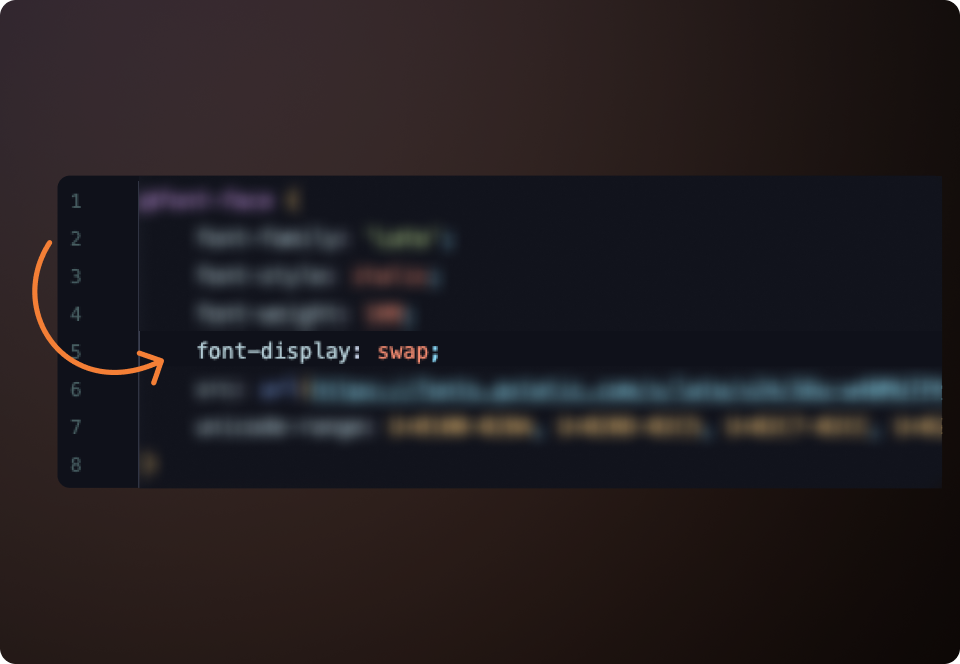
Note: This requires changes to CSS or the theme – in other words, the developer is needed again.
7. Caching and fast hosting
The best code work in the world cannot save you if the server is a lawnmower from the 90s. Use caching so users do not have to load everything from scratch every time. And choose a host that can keep up.
WordPress plugins you can use:
- WP Rocket
- W3 Total Cache
- LiteSpeed Cache
8. Defer unnecessary scripts
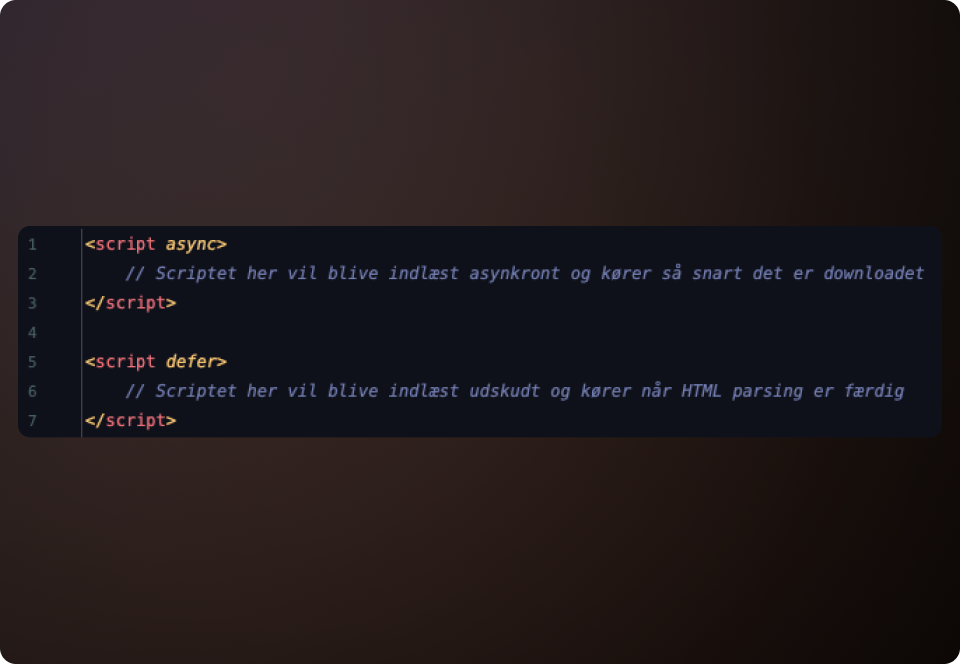
Scripts for chatbots, tracking, or animations do not necessarily need to load first. Use async or defer, so they run after the page is visible.
Requires code access and an understanding of order, but in WordPress you can use, for example, Asset CleanUp or Perfmatters