Digitalization
13. November 2025
Drupal 7 end of life – what does it mean for you, your options, and alternatives
Drupal 7 officially reached end of life on January 5, 2025. This means the system no longer receives security updates or bug fixes from the Drupal community. This makes it very insecure and unstable to continue using Drupal 7. In this article, you can read more about what “end of life” is, what it means…
Content
Introduction Migration cost What is end of life What can you do Consequences Alternatives Cost of alternativesBrief introduction
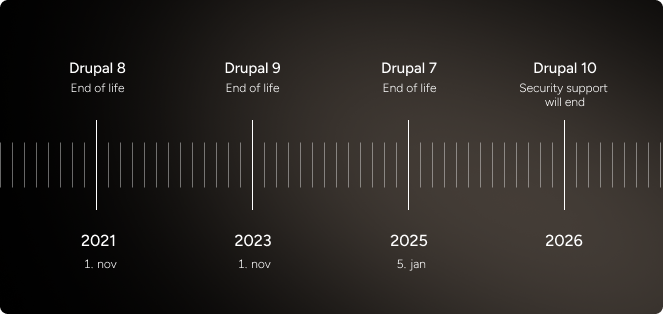
As of January this year (2025), Drupal 7 officially entered the “end of life” stage, which means the Drupal community will stop further developing and maintaining the version. If you are still running a Drupal 7 installation, you will stop receiving security updates or bug fixes from the Drupal community.
If you let your website continue running on Drupal 7 without taking action, you expose it to increasing security risk, compatibility issues (integrations with other systems may fail), and potential financial loss.
Note
If you read various forums or Drupal’s own site, it states that it is recommended to “migrate” to a newer solution. There is no “migrate” button in the solution. Migrating from Drupal 7 to a newer version de facto means designing, coding, and setting up a new website.
So if you migrate to a newer version, you are purchasing a new website in a newer version of Drupal. This typically costs around DKK 200,000–600,000.

What does “End of Life” mean in a Drupal context?
When a so-called “major” version of Drupal reaches “end of life” (EOL), it specifically means that the Drupal community core developers, the security team, and other Drupal contributors stops delivering the following:
- Security updates to the core code for the relevant version.
- Bug fixes and compatibility updates to the core code.
- Support and maintenance of the “contrib” modules and themes that only support the relevant version. When module developers stop at that version, new vulnerabilities or incompatibilities will not be fixed.
- Alignment with modern technologies and requirements (such as newer PHP versions, databases, libraries) – because the version is no longer being enabled for this by the Drupal community.
In short: Running a website on an EOL version means that, in the short or long term, you will end up with a solution that no longer works and becomes a burden for your organisation.
The only question is when you get there, and that depends on your solution’s features, integrations, etc.
Drupal end-of-life dates
A Drupal version going “EOL” is not a new concept. It is a general part of how the Drupal community approaches maintaining versioning.
Other end-of-life versions this year alone:
- 10.4 goes end of life on December 10, 2025
- 11.1 also goes end of life on December 10, 2025
I am running an end-of-life Drupal what can I do?
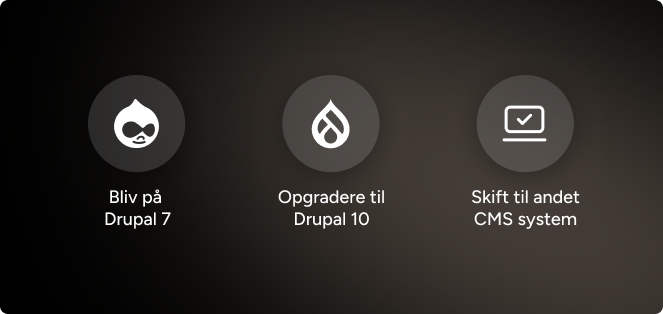
If you or your organisation still uses Drupal 7 (or another EOL version), here are the primary courses of action, along with the pros and cons of each, to consider.
| Options | Pros | Cons | Price |
|---|---|---|---|
| Option 1. Upgrade/ migrate to a new version of Drupal | You will once again receive security updates, modern features, better performance, and a longer-term outlook in a CMS you know. | It can be a relatively large task (i.e., expensive) for what may feel like “the same as before”. | Depending on the design and complexity of your solution, it typically costs between DKK 200,000–600,000 |
| Option 2. Continue on Drupal 7 via an “extended support” solution | You avoid making a major investment right now, and you can plan the switch more effectively. | You will not avoid having to choose between options 1 and 3 in the end, so you are postponing the decision. | Around DKK 10,000–70,000 per year. Until you are forced to switch. |
| Option 3. Switch to another CMS | You choose to leave Drupal entirely and migrate to another content management system (CMS) such as WordPress. | You will need to learn a new CMS (unless you already know it). | Depending on the design and complexity, it typically costs between DKK 160,000– 300,000 |
Practical steps regardless of which solution you choose
- First, carry out a technical mapping of your current Drupal 7 site: which modules are used, which themes, which database, which integrations.
- Define a requirements specification: Which features are need-to-have and nice-to-have, and are there new things you want the solution to be able to do?
- Perform a content audit: what should stay, what can be removed?
- Set a budget: what does an upgrade or migration require, and when should it happen?
- Make a decision and set a plan: when do you move to “light status” (no major changes), and when do you do the actual migration work?
- Choose supplier/partner
- Allocate time for testing and launch: When you upgrade or migrate, you should test functionality, performance, security, and user experience.
What are the consequences if you do nothing?
If you have a website that still runs on Drupal 7 or another expired version without taking action, here are some of the most important risks and consequences:
Security risk
Legislation and compliance
Operations, performance, and technology
Financial consequences
What are my alternatives to an expensive migration?
It is very simple; you can switch to another CMS.
Yes either you migrate to a newer version of Drupal (purchase a new Drupal website).
Or you purchase a new website in another CMS.
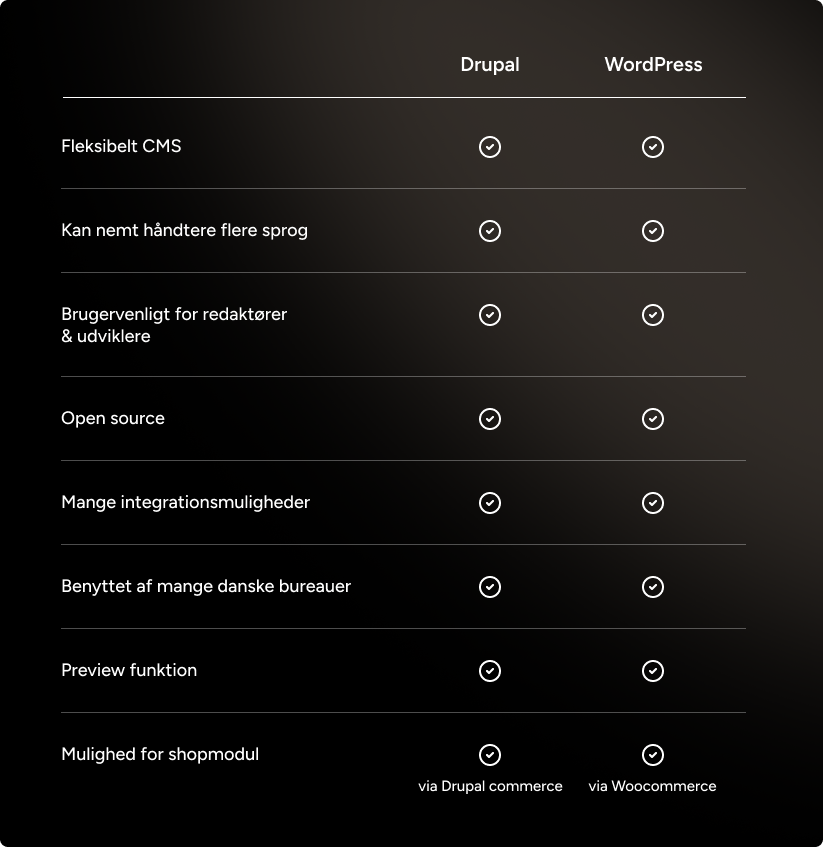
The only other CMSs we consider serious candidates competing with Drupal are WordPress and Umbraco.
Note: If you are leaving Drupal because you do not want your version to reach end of life in the future, note that Umbraco does as well.
Benefits of WordPress
Large ecosystem
Ease of use
Price level
Future-proof
Benefits of Umbraco
Built on Microsoft technology
Flexibility and scalability
Editor experience
Price level
What do you lose by leaving Drupal?
If your website or system is very complex for example, large enterprise features, complicated workflows, or advanced user management Drupal is typically the strongest of the three systems. Drupal is developer-oriented, and its structure makes it easy to build tailored solutions with a high degree of control over data and logic.
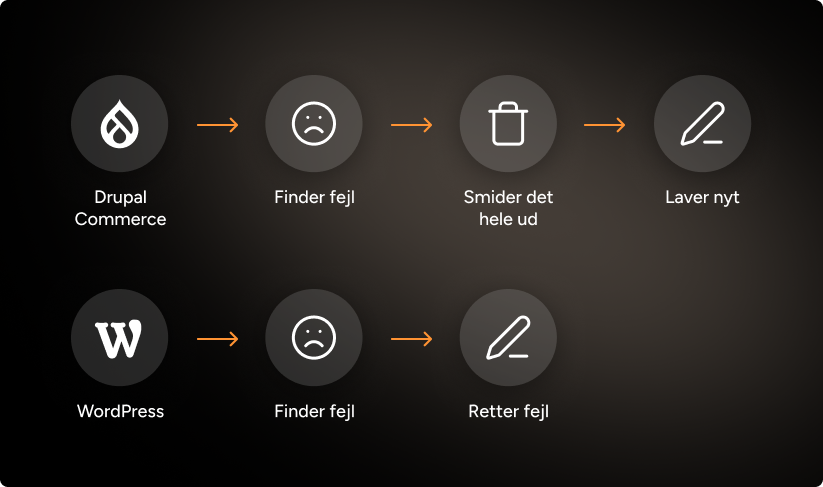
By switching from Drupal to WordPress or Umbraco, you may lose some of the deeply integrated functionalities built up over the years. This may mean you need to find alternative plugins or develop some of the functionality from scratch.
If you have already invested heavily in Drupal themes, modules, and integrations, a migration can therefore become both more expensive and more complex. In such cases, upgrading to a newer Drupal version can provide better continuity and ensure you get full value from your previous investments.
What do the alternatives cost?
The price of migrating from Drupal 7 varies significantly depending on complexity, number of modules, themes, integration needs, and design requirements. Here are some general benchmarks however, you should obtain a specific quote.
- Migration to a newer version of Drupal (e.g., Drupal 10/11): For a mid-sized website with moderate customisations, we typically see projects in the range of DKK 200,000–600,000+ (depending on scope). If the site is simple, it may be lower; if it is enterprise/highly customised, it may be significantly higher.
- Switching to WordPress: For a comparable mid-sized site, migrating to WordPress can often land at DKK 160,000–300,000, again depending on complexity.
Note: WordPress is the only one of the three solutions that does NOT go end of life. When major updates are released, some bug fixes are required, most often in the range of DKK 10,000–25,000.
- Switching to Umbraco costs between DKK 120,000–400,000. This depends on integrations, features, and complexity.
In connection with migration, you should also budget time for testing, editor training, potential rebranding/design, data cleanup, and implementation of new workflows.