Data insights
27. November 2020
9 keyword research tools you should know
This post provides a solid overview of the keyword research tools you should— in my opinion—know as a marketer.
Content
The 9 tools Search Console GA4 Keyword Planner Google Trends Morningscore Accuranker SEMrush Ahrefs Other tools9 keyword research tools you should know:
- Google Search Console
- Google Analytics
- Google Keyword Planner
- Google Trends
- Morningscore
- Accuranker
- SEMrush
- Ahrefs
- And a secret one
Most of them are completely free, which only makes it obvious that you should know them 😉 However, some do cost a bit. Those tools can, of course, do more, and you should consider investing in a keyword research tool if you work actively with SEO and/or Google Ads.
Let us get started.
Keyword research tools you should know
1. Google Search Console
Link: https://search.google.com/search-console/about
Google Search Console (previously called Google Webmaster Tools) is an important tool that you should set up. It has some features that Google Analytics does not. One of the most important features of Google Search Console is that you can get data on which keywords visitors found your website through.
In addition, you can connect your Google Search Console account to your Google Analytics account, which provides a much better overview so make sure you do it.
Another useful feature is that you can get a historical overview of your rankings for selected keywords.
2. Google Analytics
Link: http://www.google.com/analytics/
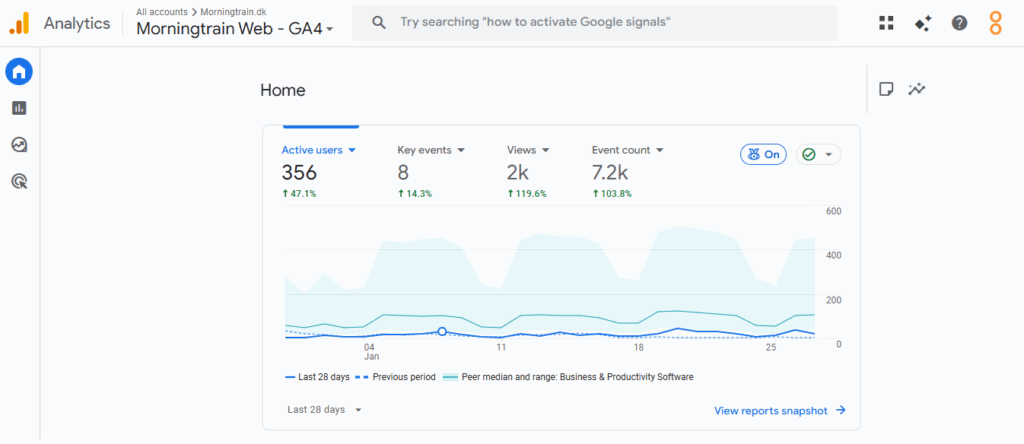
Google Analytics is an indispensable tool for any serious website. With this tool, you can analyze your website and its visitors.
Among other things, you can get data on:
- How many people visit your website
- How your visitors find your website
- Which device they use (computer, tablet, or mobile)
- Where your visitors are located geographically, as well as their language
- …and much more
It is therefore a powerful tool for keyword research, as well as for analyzing and optimizing your website in other respects.
If you have not already set up Google Analytics on your website, then you do not have time to read the rest of this post. Off you go! 😉
3. Google Keyword Planner
Link: https://ads.google.com/home/tools/keyword-planner/
Google Keyword Planner is another powerful tool from Google. It is designed to help Google Ads advertisers find the keywords their ads should appear for. However, it also works well for analyzing keywords when you are doing standard search engine optimization.
This tool can provide you with information about how many monthly searches specific keywords have. It can also help you find related keywords that may also be relevant to your website.
However, there is a catch: To use Google Keyword Planner, you need to create an active Google Ads account (i.e., with active campaigns).
4. Google Trends
Link: http://www.google.dk/trends/
Google Trends is also a tool from Google. It can show you information about different search trends.
You can:
- Check trends for specific keywords over time
- Get inspiration for what people search for a lot
- Compare keywords against each other
- …and much more
5. Morningscore
https://morningscore.io/da/soegeords-research-vaerktoej
There are many different keyword ranking tools on the market. One of them is Morningscore.
Morningscore is our sister company and a tool specifically developed for the digital marketer who is not an SEO specialist.
Morningscore is a user-friendly, easy, and simple SEO tool. In other words, even if you are not an SEO expert, you can easily focus on the improvements that truly matter for getting more traffic. Morningscore shows you exactly which improvements or errors you should fix on your site. In addition, you also get guides to fix things yourself.
What can you do with Morningscore’s SEO tool?
- Understand basic SEO
- Monitor your data continuously
- Analyze competitors and compare keywords
- Track your keywords and sort them into folders
- Fix technical errors on your website
- Get an overview of all your links
Morningscore is a useful tool both when you are doing keyword research and when you need to track your website’s development in Google after you have started the actual optimization.
6. Accuranker (SERP tracker)
Link: https://accuranker.com/
Accuranker is a keyword rank tracker designed to help you and your business with search engine optimization and organic reach. One of Accuranker’s strongest aspects is the software’s instant real-time keyword updates based on Google and Bing, which allows you to monitor local keywords and your current position.
There are many different SERP trackers on the market some more expensive than others.
7. SEMrush – All in one
Semrush is an SEO tool for those with a bit more SEO experience. It is a tool that covers several disciplines, including SEO and Google Ads (SEM). SEMrush can give you insight into your visibility on Google, relevant keywords, inbound links, ad campaigns, social media, and competitors and you also have the option to audit your content.
Most used tools in SEMrush:
- Competitor analysis
- Keyword analysis
- Link building
- Traffic Analytics
- Domain comparison
- Rank tracking
- PPC keyword tool
8. Ahrefs
Ahrefs is a heavyweight SEO tool. It originally started as a link-building tool. Today, it can do everything from link and on-page analysis to competitor and content analysis.
When it comes to keyword research, Ahrefs can provide you with:
- Search volume
- Ideas for similar keywords
- Frequently asked questions about a keyword
- What others are also talking about in this category
Ahrefs can also provide you with a list of keywords your competitors cover that you do not (content gap analysis).
9. Other tools
There is one last secret tool you should know. Are you ready? The last tool is a good old-fashioned Google search.
That is right! A Google search.
The point is that if you access Google from an incognito browser and search for a given keyword, you can use the results to understand whether the keyword is relevant to you.
The process is as follows:
- Go into incognito mode and search for your keyword
- Look at the top 3 results in Google
- Historically, these three results cover content that is popular with people searching for the given term
- Therefore: If the top 3 results point to competitors or other relevant things – DING DING DIIING! – then you have a good keyword. But if the search results are dominated by Studenterguiden, Wikipedia, and PDF files, steer well clear.
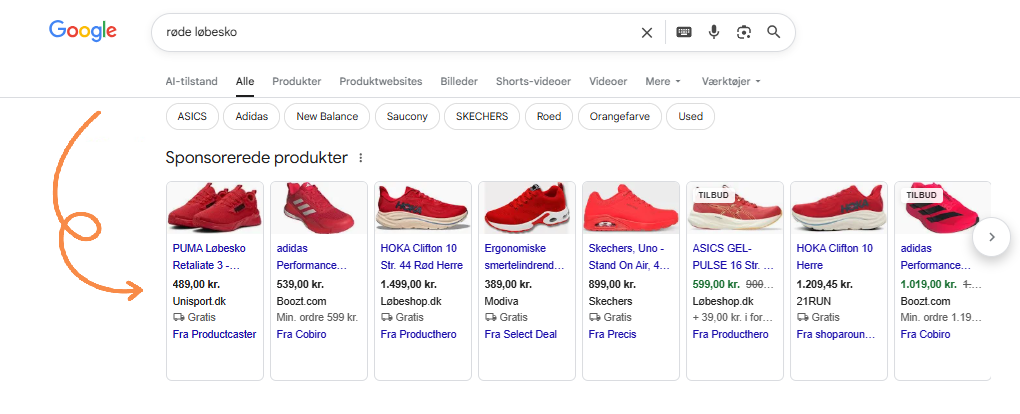
- You can also check whether the Google search returns results with ads at the top. If it does, it is a sign that others are willing to pay for the traffic – meaning it is likely worth money.
If you would like to read more about the keyword research process, we have also written a post specifically about finding keywords; How to find the perfect keywords which you should dive into. 😊