


Lead generation
24. June 2026
Give your sales team a better helping hand with interactive elements
Many B2B websites are visited by both new and existing customers, without sales getting enough useful insight out of it. With interactive elements, you can capture buying signals that make it easier to prioritise leads, spot upsell opportunities, and start more relevant conversations.

Content
Turn your website into a better source of buying signals It is not only about new leads When Sales knows the context, the dialogue improves Also boosts your visibility in SEO and AI answers How to get startedMake your website a better source of buying signals
Many B2B companies spend time and money getting the right people onto the website. But once they are there, their behaviour is often not turned into something sales or Client Managers can use.
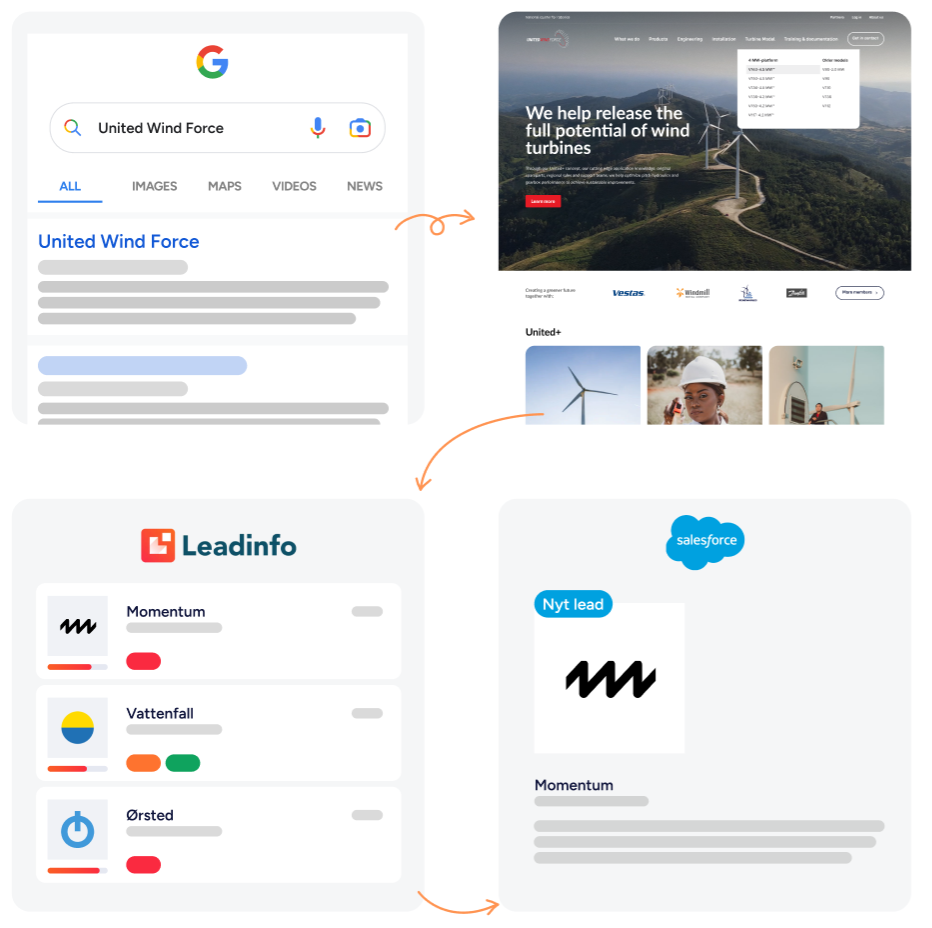
That naturally requires a tool that can capture and show which companies are interacting with your website. Leadinfo is an obvious example, because it can give you insight into which companies visit the website, which pages they view, and what their user journey looks like.
When you combine that knowledge with interactive elements such as FAQs, calculators, tests and guides, you get more than ordinary website behaviour. You get concrete buying signals that show what both potential and existing customers are interested in.
And that is where it becomes interesting for sales, marketing and Client Managers. Because the more you know about the customer’s interest before the conversation starts, the better you can prioritise, follow up and help the customer move forward.
It is not only about new leads
When we talk about buying signals, you may primarily think of new customers. That is, companies that show interest in your products/services, and that sales can reach out to.
But buying signals are at least as interesting when they come from existing customers.
If a customer starts reading about a service they do not already buy from you, uses a calculator, or clicks on questions about a specific area, that is valuable knowledge for your Client Managers.
With that knowledge, you can be proactive before the customer reaches out themselves. This can both strengthen customer care, open up relevant upsell opportunities, and help the customer move forward if they are exploring a new need.
And it is, of course, preferable compared to only discovering the interest once the customer has spoken to three other suppliers.
When sales knows the context, the conversation gets better
There is a big difference between reaching out to a potential customer with nothing in particular to go on and reaching out with an idea of what the customer has already shown interest in.
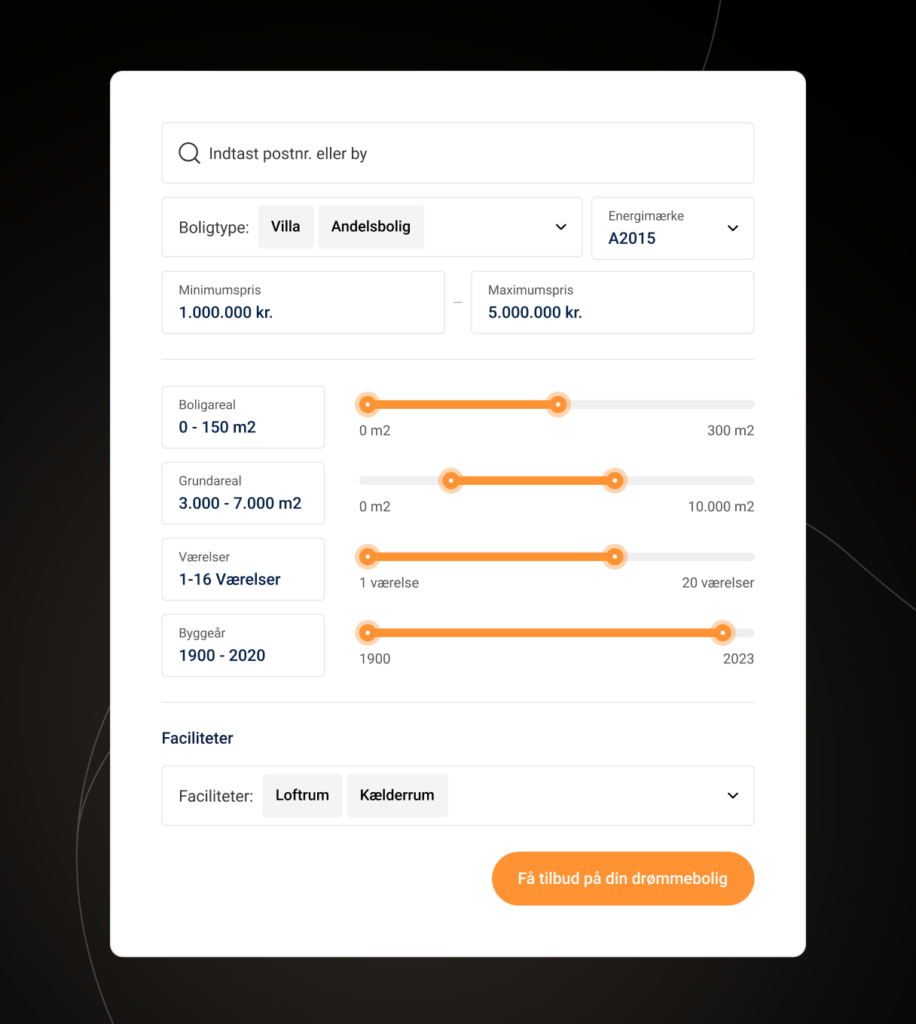
Here, interactive elements such as, for example, a calculator can show what potential the customer is exploring. A test can uncover maturity or needs. An FAQ can show which barriers matter. And a guide can point to which direction the customer is considering.
This gives sales better conditions for asking the right questions and starting the conversation closer to the customer’s reality. This applies both when a new potential customer shows interest and when an existing customer starts exploring something new.
Also strengthens your visibility in SEO and AI answers
Interactive elements can also make your content easier to find for users, Google and AI answers alike.
FAQs in particular are relevant because they gather questions and answers in a structure that is easy to interpret for people, Google and AI systems. Markup can support this further, because structured data makes the content’s form and function clearer to search engines.
However, that does not change the most important thing: the content still needs to be useful. An FAQ, calculator or test only strengthens your visibility when it helps the user move forward in their decision.

How to get started
If you want to use interactive elements to create better buying signals, do not start with the format. Start with the foundation:
- Get Leadinfo and your CRM in order: Before you can actively use behaviour on the website, you need to be able to see which companies are visiting you and where the signals should be sent. Here, Leadinfo connected to your CRM is an obvious first step, because it makes website visits useful for sales, marketing and customer teams.
Read more here: Effective method to get more leads for your sales team in just 3 months. - Define when a behaviour is interesting: Not all visits should end up with sales. Therefore, agree on what a company needs to have done before you react. It could be that they have used a calculator, clicked on specific FAQs, visited a service page several times, or shown interest in a solution they do not already buy from you. You can have Leadinfo flag this automatically.
- Find out what sales and customer teams want to know: Ask them what would make the conversation easier. Is it the customer’s challenge, maturity, area of interest, time horizon or concerns? The answer often points to which signals you should capture.
- Agree on who follows up: Data only becomes valuable when you act on it. Therefore, agree on when sales follows up on new leads, when customer teams reach out to existing customers, and when marketing uses the signals for segmentation, retargeting or new content.
The goal is not more data for data’s sake. The goal is better conversations, better prioritisation, and a more coherent buying journey for both new and existing customers.

Written by






Do not hesitate – we are always ready for a chat
Let’s have a chat about your digital project
Let’s go into detail so we can find solutions together that match your needs.