


AI
4. August 2026
Chat with your data instead of searching through GA4 and other data sources
Most people in a marketing role collect data, but honestly don’t know where to look to find answers to questions about, for example, performance or optimisation opportunities. Now it’s possible to chat with your data and get better advice – fast.
Content
Introduction Who should do this What makes you hit the mark How to do it Point to note Our recommendationIntroduction
You know the scenario: GA4 in one tab, Google Ads in another, Meta Business Suite in a third and an hour later you still don’t have the answer to the simple question your boss asked before lunch.
Imagine instead that you simply type the question the way you’d ask a colleague: “Which channel gave us the most qualified leads last quarter?” and get the answer immediately, pulled directly from your own numbers.
That’s what it means to chat with your data. Not yet another dashboard you need to learn to navigate, but access to data you already have without having to log in to five places to piece together the full picture.
There’s a smart solution where, via Windsor.ai, you can send data into Claude, so you can ask questions about your data and get answers so you don’t have to go searching.
What it actually changes
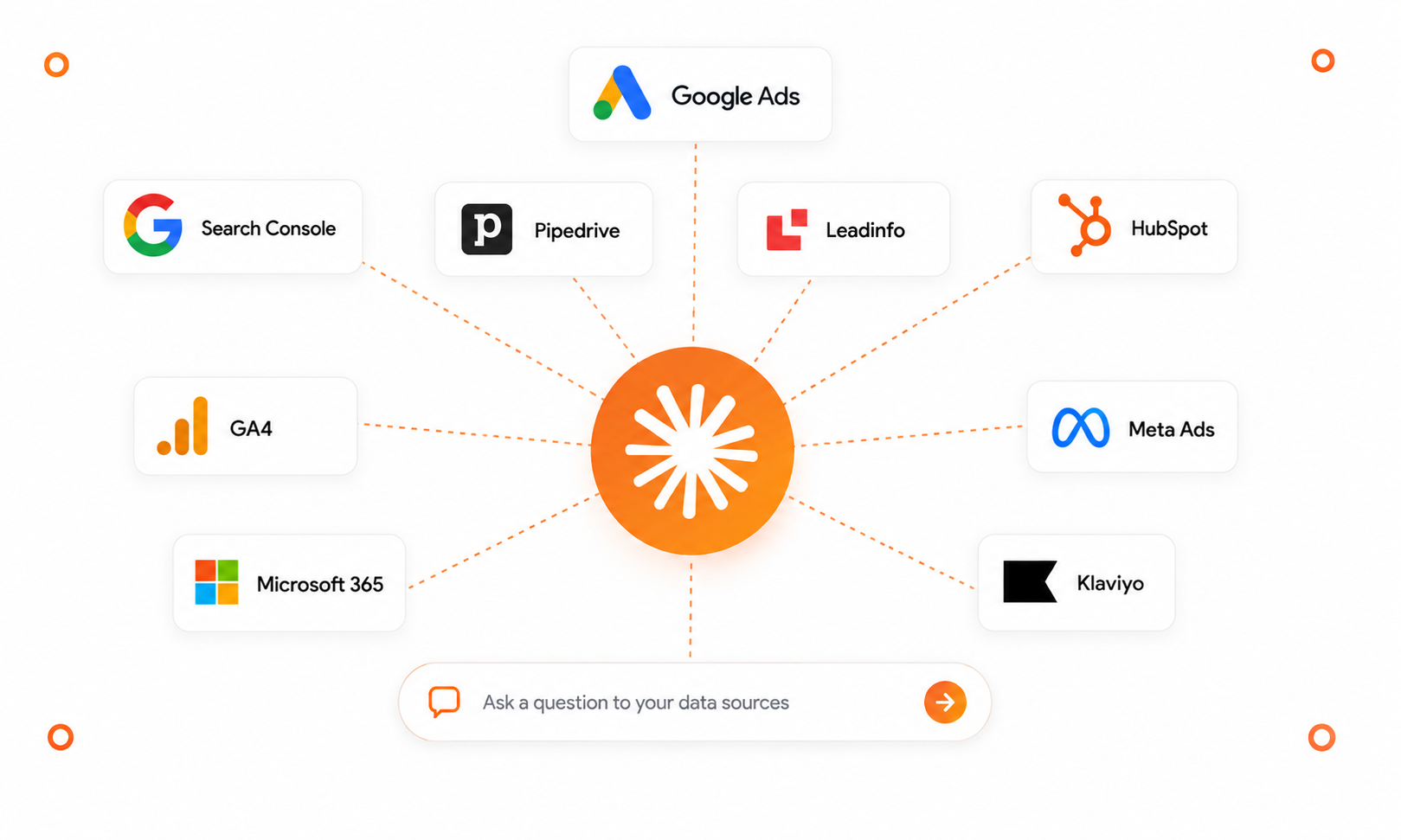
- One place to ask, instead of five places to search. You ask the question in plain English, and the answer is compiled across Google Ads, Meta, LinkedIn, GA4, Search Console and a wide range of other sources without you having to jump between platforms yourself.
- Cross-disciplinary data analysis where data about behaviour across devices can be analysed and compared. This is almost the most valuable part, because your channels don’t work in a vacuum.
- Answers immediately, not after an export sheet. No CSV exports, no copy-pasting between spreadsheets. You ask, and the numbers are ready in the chat.
- Insights, not just numbers. You can ask for a comparison between periods, identify the channel driving the most qualified leads, or analyse where spend isn’t turning into conversions instead of having to sit and calculate it yourself.
- A face behind the numbers, not just click counts. You can connect audience data with performance numbers, so you don’t just see how many clicked a keyword, but also who they likely are and therefore whether it’s actually the right people finding you (more on that below).
- Concrete action points instead of just insights. You can suddenly get to optimisation opportunities faster ones you can spend time executing, rather than analysing your way to them.
In short: you spend your time acting on answers, instead of looking for them.
Who should do this
EVERYONE!!
You should keep doing what you usually do if you:
- Love digging around in GA4
- Prefer to spend a long time getting qualitative perspectives on your data
- Don’t want to compare data from different platforms
- Want to work faster
- Aren’t genuinely interested in growing your business
- Print things because otherwise you have nothing to laminate
So yes. Everyone should do this from today 😁
Two things that determine whether the answers hit the mark
Chatting with your data is only as good as what you tell it along the way. There are two things worth having under control every time you ask.
1. Say what each channel is supposed to deliver
The system doesn’t know your strategy unless you say it out loud. If you run LinkedIn Ads to build brand awareness, but only look at leads and conversions, the channel ends up being labelled a failure even though it’s doing exactly what it’s supposed to.
I’ve yet to see Claude recommend banner ads if you ask about lead generation.
Instead, write something like: “LinkedIn is running for brand awareness, not leads evaluate it on reach and video views, not CPA.” Then the channel is assessed on the right basis, and you avoid shutting down something that actually works.
Make it a habit to mention the goal per channel every time you ask for a cross-channel analysis.
2. Ask to include the audience, not just the numbers
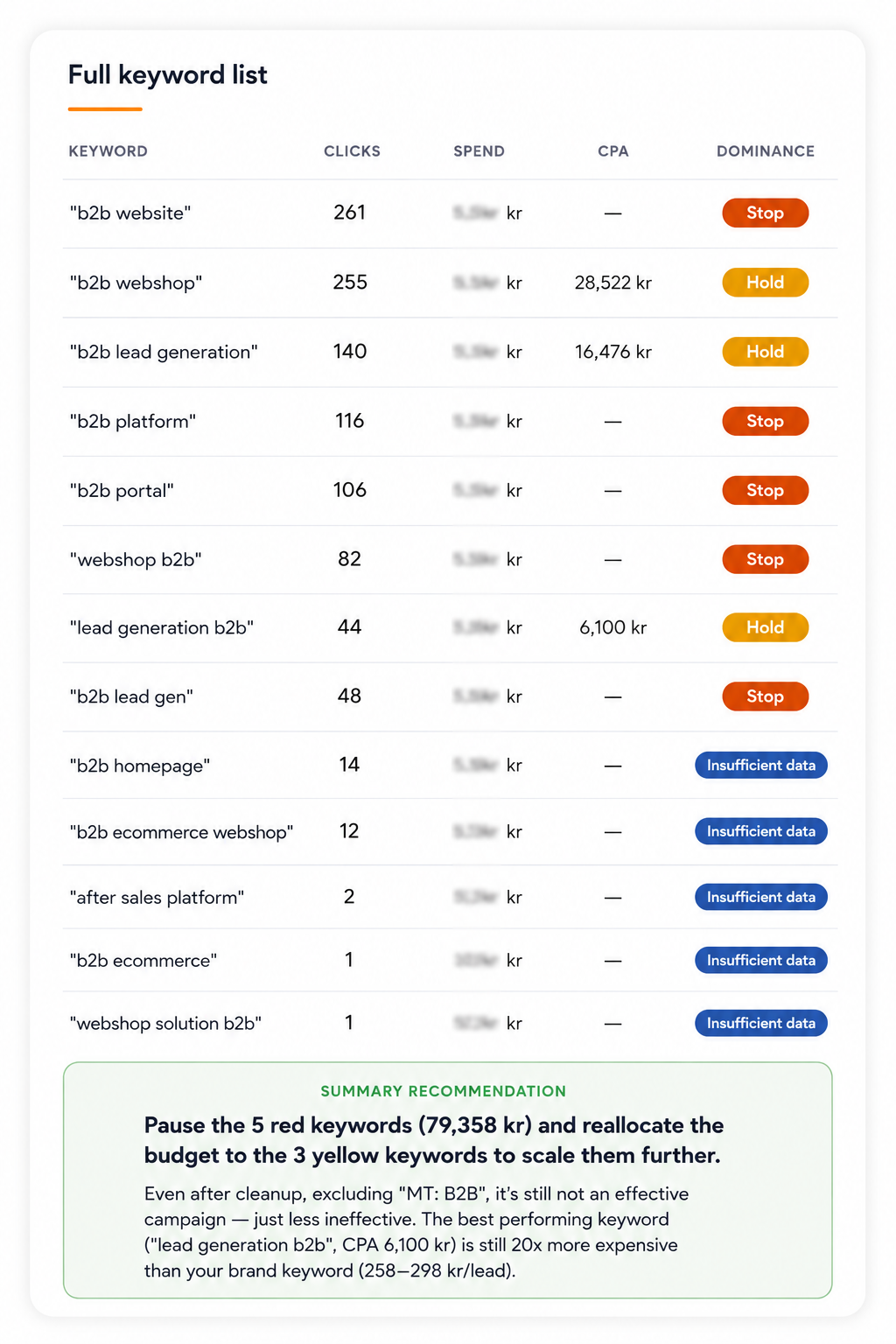
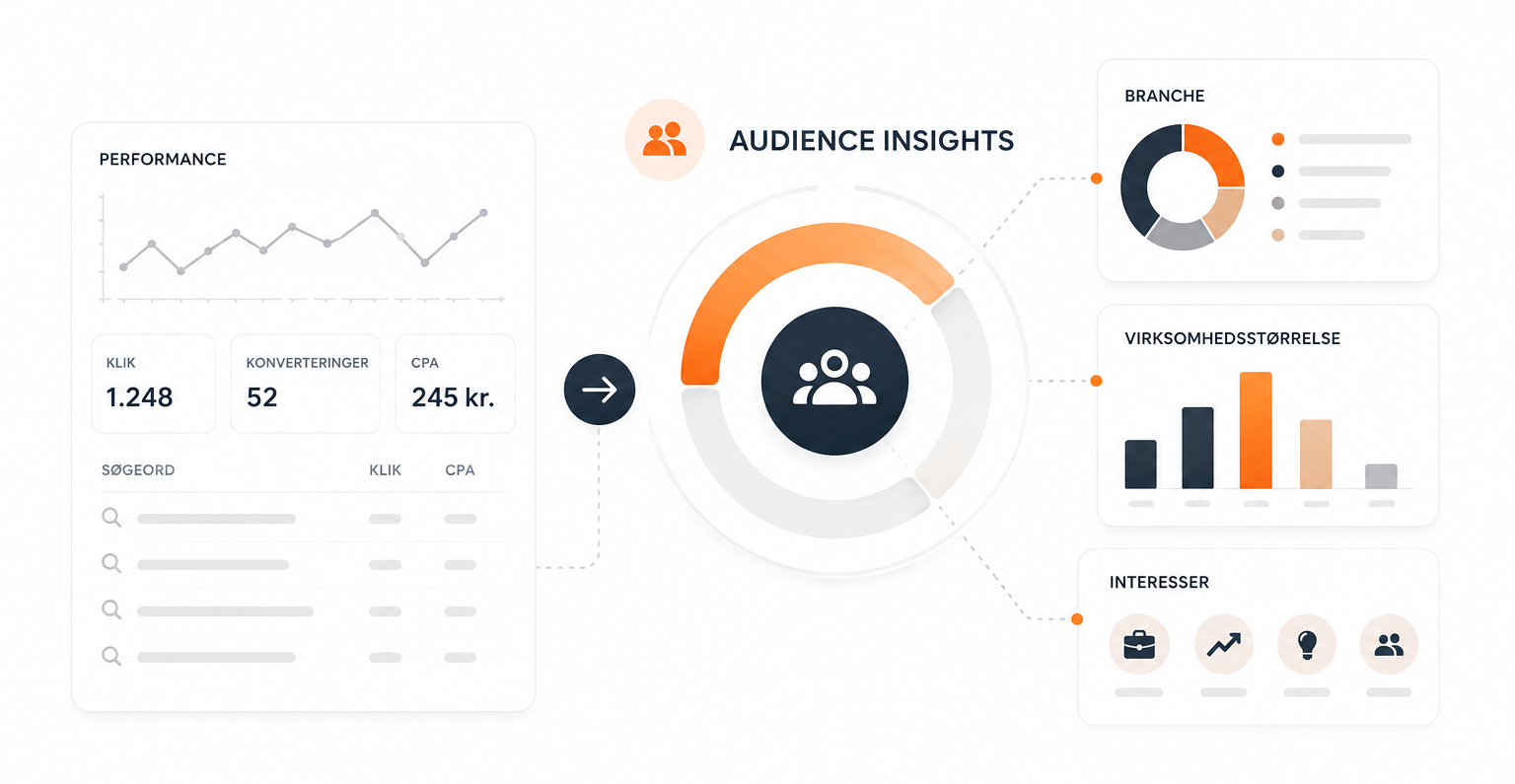
What you typically miss in a standard performance overview is who is actually on the other end. Google Ads has a tool called Audience Insights (found under Audience Manager in the shared library), which shows demographic traits and interests of those who click and convert including industry and company size for those interacting with a given campaign or keyword.
Ask to have that kind of audience data connected with the performance numbers, and ask, for example: “Which industry and company size are typically represented among those who click on [keyword]?”.
That gives a better basis for prioritisation: instead of only seeing click counts and CPA, you get an idea of whether it’s actually decision-makers from your target audience landing on the page or whether the keyword is pulling in the wrong type of visitor.
Remember that these are Google’s estimates, not exact job titles use it as a compass, not as a definitive answer.
How to access your own data
It doesn’t require development or a data specialist to get started. Windsor.ai is a free shortcut that connects your channels and makes them available to ask about in just a few minutes:
“Create an overview of organic search traffic and paid traffic to our homepage last quarter.”
- Create a Windsor.ai account and connect your data sources at onboard.windsor.ai. Choose the platforms you use for example Google Ads, Meta Ads, GA4, LinkedIn or Search Console. You don’t need to select specific data fields yourself; they’re made available automatically.
- Add the Windsor.ai connector in Claude under Settings → connectors, and click “Connect”.
- Approve access by logging in with your Windsor.ai account. Feel free to choose “Always allow”, so you don’t have to approve it again every time you open a new chat.
- Start a new chat and ask away. Some examples to get started:
- “Compare our leads from Google Ads and LinkedIn over the last 30 days which channel delivers the best CPA?”
- “Which campaigns have spent money without conversions in the last month?”
- “Create an overview of organic search traffic and paid traffic to our homepage last quarter.”
Important: Don’t share personal data in the chat
When you connect your data sources to Claude, it’s important to remember that some of the data you pull in may contain personally identifiable information – for example names, email addresses, phone numbers, or IP addresses from sources like Leadinfo, CRM exports, or page-view data.
Chatting with your data is meant to give you an overview at an aggregated level (channels, campaigns, companies) – not to look up individuals or work with personally identifiable details.
Before asking questions about data that may contain personal information, you should therefore:
- Avoid pulling in fields with names, email addresses, phone numbers, job titles, or IP addresses unless it’s strictly necessary for the task.
- Ask at a company or campaign level rather than a personal level, when the goal is performance insight.
- Check your own internal data-handling guidelines before connecting new data sources to Claude – especially if the source contains customer data.
If you’re unsure whether a data source is safe to connect, talk to your IT or security lead before setting it up.
One thing you should be aware of
Windsor.ai’s connector can not only read data; in certain setups it can also write i.e., start campaigns, pause them, or adjust budgets directly from the chat.
That’s a strength if you want to act on the insights immediately, but it also means you need to be present when you ask for changes to live campaigns not only when you ask about numbers.
Always check which permissions you approve during setup, and only choose write access if you genuinely need it.
The challenge with write permissions is that you can quickly end up asking an AI to change your entire campaign structure or your keywords in Google Ads while researching optimisation opportunities. So that’s something to be mindful of.
Our recommendation
If you’re responsible for marketing and already juggling multiple channels without one central place to ask, this is your shortcut to answers not yet another tool on top of the others.
Set it up once, remember to mention goals and audience along the way, and spend the next ten minutes asking the questions you normally spend a whole morning trying to find answers to.