WordPress
7. May 2025
That is why we do not recommend WordPress Elementor
WordPress Elementor may seem appealing because it is fast and visual – but we never recommend it. Simply because it makes it far too easy for a site to look wrong, perform poorly on mobile, and become heavy to maintain. This negatively affects the user experience and the maintenance of the site.
What is WordPress Elementor?
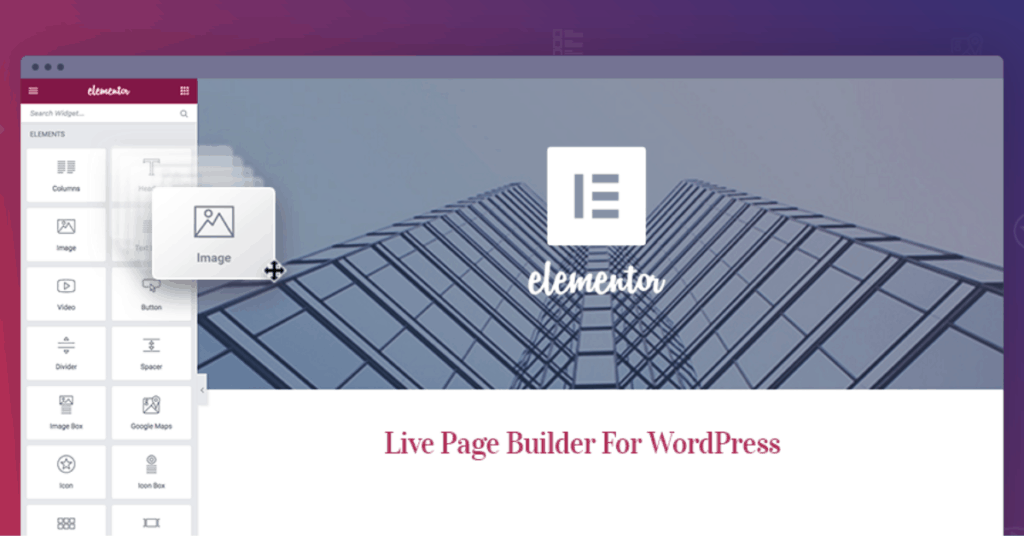
Elementor is a so-called page builder for WordPress. It makes it possible to build pages by dragging and dropping elements directly in a visual interface – without having to code. You can adjust everything from fonts and margins to buttons and image sizes directly in the interface.
It sounds smart – and it can be smart. But this is also exactly where the problems arise.
The advantages and disadvantages of Elementor
The advantage of Elementor is obvious: You can build beautiful pages without knowing how to code. You see the design live, and it is easy to get started. So far, so good.
But the disadvantages quickly outweigh the benefits – especially if you work professionally with the web:
| ✅ Advantages | ❌ Disadvantages |
|---|---|
| You can build beautiful pages without knowing how to code | It is easy to change everything – and therefore also easy to ruin the design and user experience. |
| You see the design live as you build | It is difficult to maintain a consistent and responsive look – especially across devices |
| It is easy to get started | Pages often become heavy and slow due to extra code |
| – | It is easy to cause damage – and difficult to fix again |
| – | It increases the risk of a poor user experience if you do not have technical oversight |
What we recommend instead
We build all our WordPress solutions with Gutenberg – WordPress’ own block-based editing system. It is more scalable, faster, and far more future-proof.
If you would like a bit more freedom without using Elementor, SiteOrigin can also be a middle ground. But for us, Gutenberg is the obvious choice.
It allows you to edit content without breaking the design, and it ensures that the technical foundation is clean, responsive, and fast.
The video below shows an example from a Gutenberg website (our own 😉).
Gutenberg vs. Elementor – a quick comparison
| Feature | Gutenberg (recommended) | Elementor |
|---|---|---|
| Fast and optimized | Fast and optimized | Slower due to heavier code |
| Design consistency | Design system managed centrally | Risk of visual clutter and inconsistency |
| Responsiveness | Responsive from the start | Requires manual adjustments |
| Design flexibility | Flexible – but within a framework | Very flexible – and easy to misuse |
| Ease of use (for editors) | Simple and clear | Requires technical understanding to avoid errors |
| Future-proofing | Part of the WordPress core – updated continuously | Dependent on third-party plugin and compatibility |
| Maintenance | Easy to keep updated and secure | Often more dependencies and conflicts |
So what does that mean for you?
If you want a website that is easy to maintain, looks consistent throughout, and provides a good experience – regardless of device – then choose a setup that works with you, not against you.
That is why we recommend Gutenberg.
Because we have seen what happens when you pull things a little too far.