Digitalization
20. April 2023
Webshop integrations you should have – in priority order
In this post, we have tried to categorise the different integration options for your webshop and list them in a kind of prioritised list from 1 to 9. ‘1’ being: “What you absolutely need” and ‘9’ being: “What you could consider”.

Content
1. Payment 2. Freight 3. Economy 4. POS 6. Storage 7. Marketing 8. E-signatur 9. Chat systems1 – Payment solution
You cannot really have a webshop without being able to accept payment for your products. That is all there is to it.
Make sure to choose a solution that gives your customers access to the payment methods they prefer. Most commonly: card payments, MobilePay, PayPal, and Klarna/invoice payments.
If your webshop operates in multiple countries, make sure your payment solution supports the card types that are popular in the country where you are present.
Popular payment solutions:
- Quickpay
- Nets
- Epay
- PayPal
- Stripe
- Bambora
- Swiipe (Clearhaus)
You can read more about payment solutions for webshops in this post.
2 – Shipping
Unless you intend to deliver every single parcel to your customers personally, you need to integrate your webshop with a shipping solution.
Here, we recommend choosing a solution that allows your customers to select the most common carriers, such as GLS, Bring, DAO, PostNord, DHL and Danske Fragtmænd.
What the three solutions below have in common is that they all give your customers access to all the carriers mentioned above.
Popular shipping solutions:
- Shipmondo
- Webshopper
- CoolRunner
3 – Financial management
In a smaller webshop setup, you can manage with manual bookkeeping but the moment order volume scales, this quickly becomes a bottleneck and a major burden.
Therefore, as part of your “webshop journey”, you should integrate your shop with your accounting system so that bookkeeping happens automatically when orders are processed.
Our favourite accounting systems for managing webshops:
- e-conomic
- Dinero
- Dynamics 365 Business Central
All three have their advantages and disadvantages. e-conomic and Dinero are easy to get started with and integrate easily with other external systems, whereas Dynamics 365 comes with more features and is a heavier setup.
However, Dynamics 365 offers significantly more options for easy integration with the rest of the Microsoft product portfolio.
4. POS (but ONLY if you also have a physical store)
If, alongside your webshop, you have one (or more) physical locations, you should consider integrating your POS (digital cash register) with your webshop. This is particularly relevant if the two (the webshop and the store) share the same inventory.
By integrating your store’s POS system with your webshop, you can automatically synchronise product sales, inventory and bookkeeping.
In other words, you can ensure that if an item is sold in your store, stock levels are reduced automatically in the webshop at the same time and vice versa.
In addition, your sales are posted automatically and consistently, whether they happen in-store or in the webshop so everything is synchronised and streamlined.
YES! It is extremely great.
Popular POS solutions:
- DbD
- FlexPOS
- Zettle
- EasyPos
5 – Data tools
Some fast consultants with smart glasses will say: “HEY, integration with data tools is extremely important. You need to have control of your data for your marketing efforts.”
*angrily adjusts his red suspenders*.
And they are not wrong.
But in a rough prioritisation of what you need to focus on for your webshop to WORK, data tools are not a priority 1.
Popular data analytics tools:
- GA4
- PowerBI
- Piwik Pro
- Matomo Analytics
- Plausible Analytics
- Fathom Analytics
- Simple Analytics
The differences across the many options are customisation, data points, data quality and GDPR compliance.
The last five mentioned are 100% best practice in terms of GDPR, but their data quality varies greatly and there are also fewer data points.
An integration with a data tool will provide deeper insight into the webshop and product performance, so you can optimise the shop experience, the customer journey, or your marketing campaigns.
6 – External inventory management
Wait surely you cannot run a webshop without inventory? Why is this in 6th place?
And that is absolutely correct you do, of course, need stock and a warehouse (unless you are running drop shipping).
Most webshop systems (WooCommerce, Ucommerce, Shopify, etc.) have an inventory function where you can create and manage your stock. So when we say “external inventory management”, we mean software outside your webshop solution (ERP systems) that can manage your inventory.
Read our post “Shopify vs. WooCommerce” and see our comparison of the two solutions.
Popular inventory management systems:
- Rackbeat
- SAP Warehouse Management
- Dynamics 365
- e-conomic
You can read more about the pros and cons of external inventory management systems in this post.
7 – Marketing tools
By now, we are far enough down the list that the core webshop functions are in place. From here, it is about fine-tuning and scaling the webshop.
In the spirit of scaling, my recommendation for 7th place would be to integrate the webshop with your marketing tools.
Popular webshop marketing tools:
- Google Shopping
- Facebook Shopping
- Instagram Shopping
- Email systems
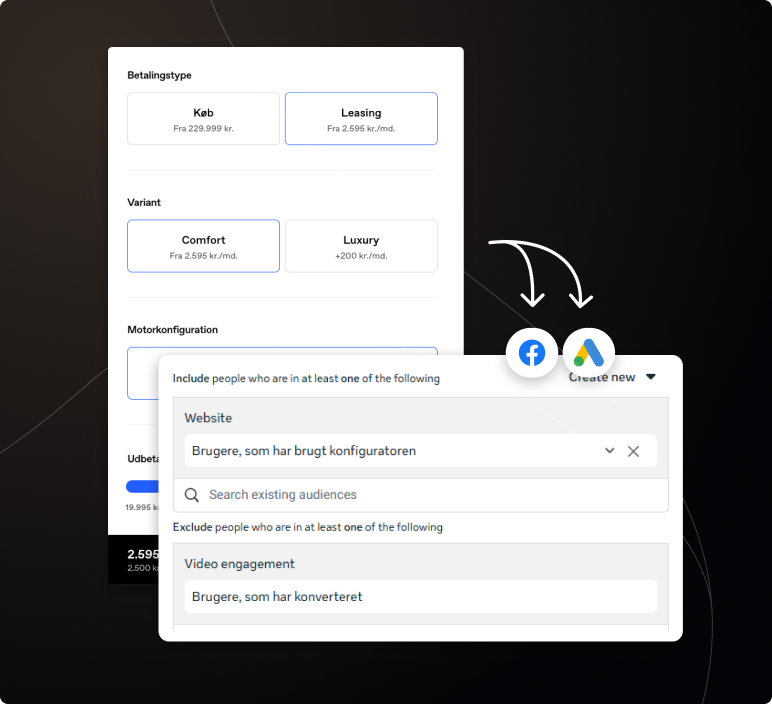
The idea behind implementing the integration is, of course, to use data from your website visitors’ behaviour, customer journeys and engagement to target campaigns and messaging.
In addition, integrations such as Google and Facebook Shopping make it possible to promote products in your ads based on exactly what each person in your target audience has been doing on your webshop.
8 – E-signature
Removing barriers and streamlining processes is “the name of the game” with an integration to e-signature software.
E-signatures allow your customers to sign digitally, while signatures are archived correctly, can be linked to customer data in your CRM or ERP, and are handled according to GDPR best practices. So it is fast, easy and secure.
With the e-signature integration, you avoid having to send the customer an email that they then need to sign they can do it directly in the checkout flow.
For example, your webshop may sell subscription solutions that require a signature. E-signatures streamline that part of the process.
Popular solutions:
- Penneo
- Esignatur
- Getaccept
- Scrive eSign
- Visma Sign
9 – Chat systems
At this point, we are so far down the list that before you tackle this, you already have a well-functioning webshop with a stable order flo and now you want to scale your sales by a further 2–6%.
It is likely no more than 0.5–2% of your webshop traffic that will use a chat, but it can generate more and potentially larger orders because you can remove barriers for your customers in real time.
So a chat function is not a cure for a serious illness but it is an elegant “polish” for an otherwise well-functioning webshop.
We prefer to use a chat function to:
- Let a bot help your visitors find the product that meets the customer’s needs.
- Make live customer service easily accessible to your customers.
- Allow a customer to get quick answers from a human about what their challenge is.
- Make complaint handling easy, fast and elegant.
For now, we are not particularly fond of chatbots, because you quickly realise you are not talking to a human. So if you use a bot, it should be clear that it is a machine, and that it is there to guide the user not to advise.
A chat function is particularly useful for webshops with either expensive and complex products, or for webshops that want to make customer service easy, fast and accessible.
Our favourite chat systems:
- Zendesk
- Tidio
- Weply