Digitalization
16. February 2022
What is a sitemap?
A sitemap is a file that helps search engines (Google) crawl your website more efficiently. This file contains a list of all your website’s content—your pages, videos, images, and other files you may have available to your users and that you want search engines to be able to access.
What is the purpose of a sitemap?
By having an up-to-date sitemap, you make it very easy for the search engine to find new pages and provide it with additional information about specific content. For videos, for example, you can include a category, video duration, and whether it is suitable for children. Images and news articles can also have additional information added.
Another beneficial aspect of a sitemap is that you help search engine bots understand your website structure. Some large websites have multiple sitemaps for different types of content. So, by including different sitemaps and categorising content, we help Google understand which web pages and content we consider the most important.
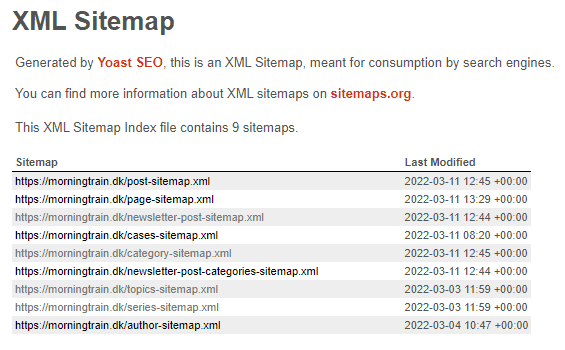
A few years ago, you could set the priority of a URL relative to other URLs and the update frequency for all your web pages, but today Google ignores these attributes.
What is the difference between an HTML sitemap and an XML sitemap?
It is important to know that there are two terms used when talking about sitemaps, and each is used for a different purpose.
An HTML sitemap is a page on a website that shows all the website’s pages in one place. Its purpose is navigation, and it helps the user find their way around the website. An XML sitemap is a file intended for search engines.
We will focus on XML sitemaps in this article.
Do you need a sitemap on your website?
It depends on your website.
If you have a website that:
- Is large, with many pages and large amounts of different content
- Is not internally linked correctly and has few or no external links (backlinks)
- Is a new website with lots of fresh content
Then a sitemap is a must.
If you have a website that:
- Is small, with only a few pages that are nicely linked together
- Has no isolated orphan pages,
- Has very few videos or news pages
Then you can manage without a sitemap. However, I still advise you to follow best practice and create a sitemap – why? Keep reading.👇🏼
Why is a sitemap important? And does it affect your SEO?
Here is a concise list of how a sitemap benefits your website and its SEO:
- It speeds up content discovery
- It helps search engines understand the website structure
- It bypasses crawl budget issues for large websites
- It is a much faster and safer way to keep search engines updated on new/changed content
How do you create a sitemap?
You can make a list of all your URLs and then use a text editor to create your sitemap from scratch. But let’s be honest there is a much easier way to do this, either by using online tools or a plugin.
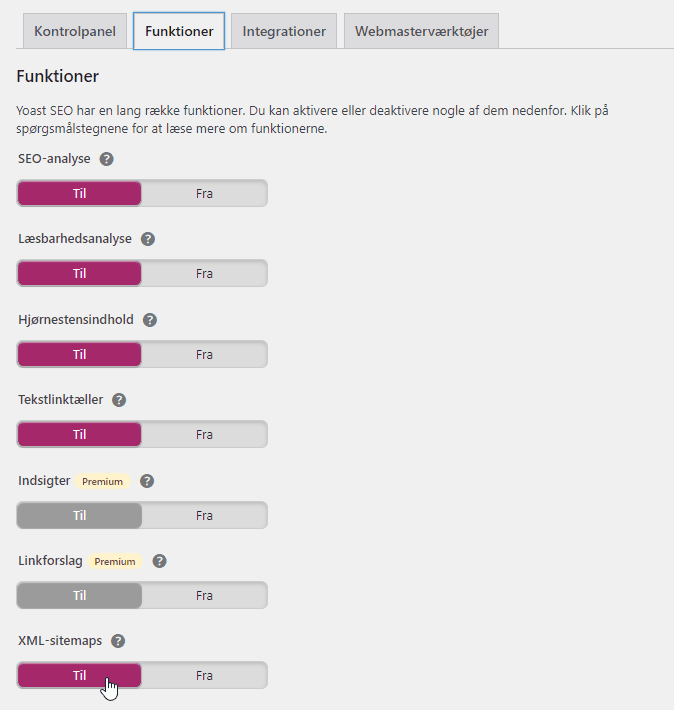
At Morningtrain, we use the free version of the Yoast plugin. It creates the sitemap automatically and always keeps it up to date. All you need to do is download and activate the plugin (if you do not already have it), make sure the sitemap setting is enabled in Yoast’s general settings, and you are ready and never have to think about your sitemap again.
For those who do not have WordPress or the option to use another plugin for their website, there are always online tools you can use, such as this free online sitemap generator from XML-Sitemaps.com. Once your sitemap has been generated, you must submit it manually to Google in your Google Search Console account.
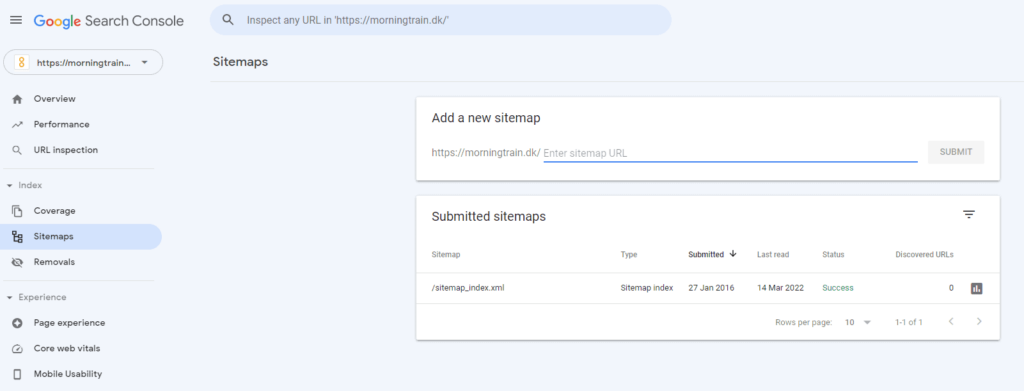
If you choose to do it this way, however, you must ensure it is kept up to date yourself by creating a new sitemap and resubmitting it to Google after you have made a change to your website.